
Does your head ever spin when you try and wrap your head around the complexity of designing and developing a solution in a simple way?
You’re not alone.

I write a lot about design and technology trends and I’m always amazed by the rapid advancements in technology every year that has paved the way for highly complex and interactive systems, and with them, the need for more intuitive and user-friendly interfaces.
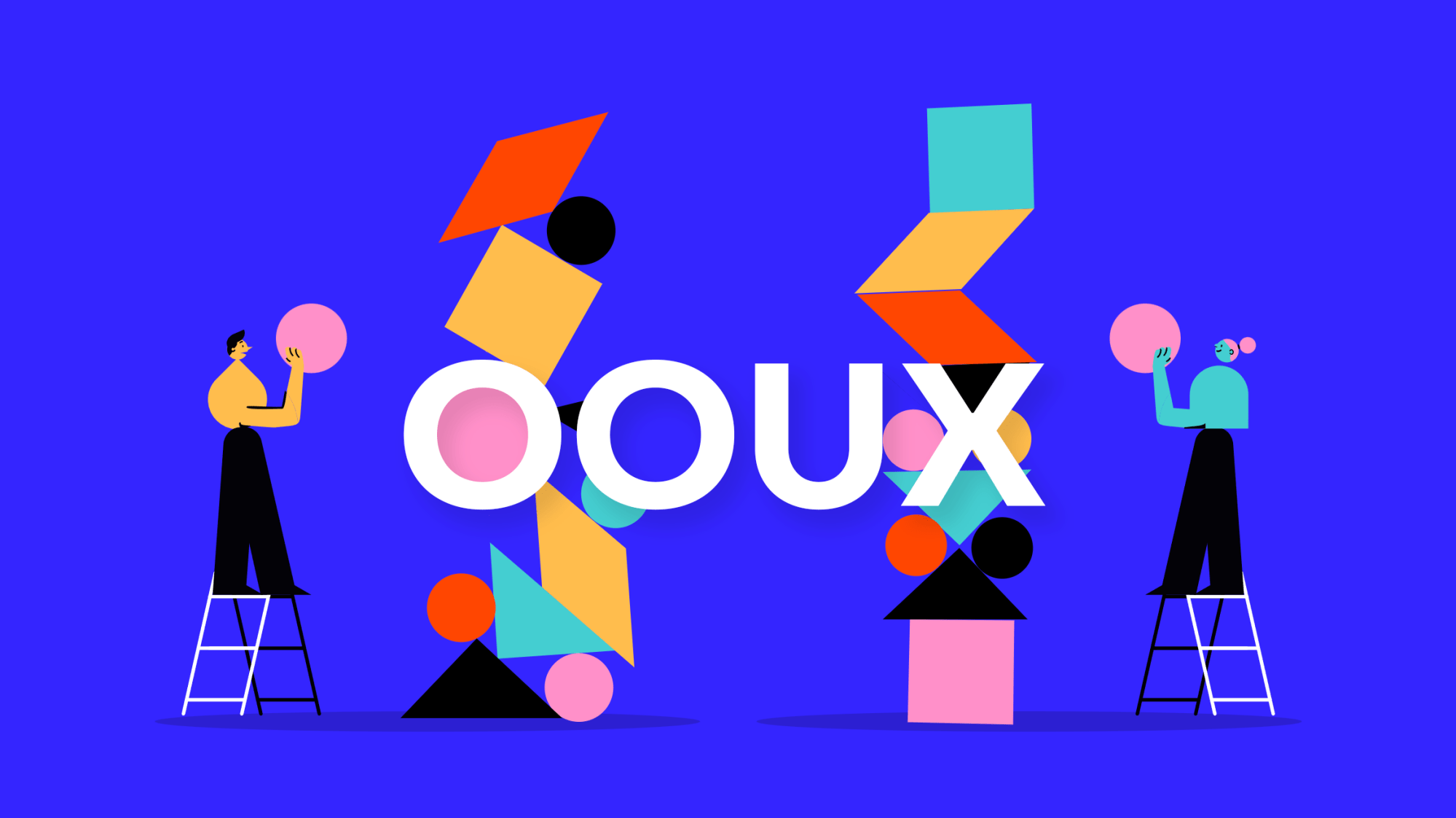
Say hello to Object-oriented User Experience (OOUX).
What is Object-Oriented User Experience (OOUX)?
OOUX is a methodology that helps teams manage complex information by creating digital products that mirror the real world. Its strength lies in guiding user experience design around ‘objects’ that are intuitive and relatable for your users. By emphasizing these objects, OOUX simplifies the design of intricate information architectures, navigation systems, and overall user experiences.
These objects in the digital realm can be anything that holds significance to users — a person, place, thing, or idea. For instance, in a social networking application, ‘friends,’ ‘posts,’ and ‘comments,’ are all objects.
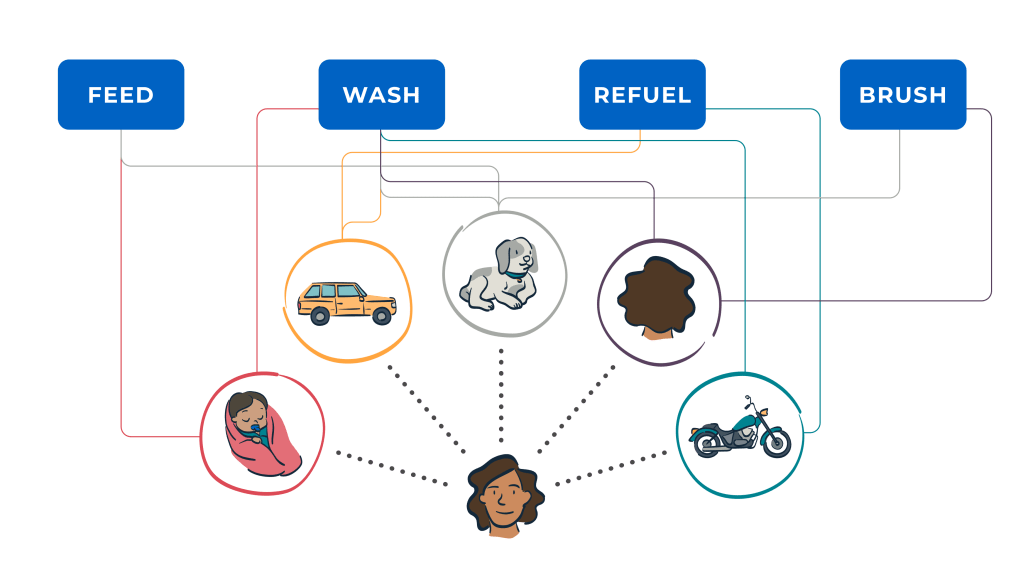
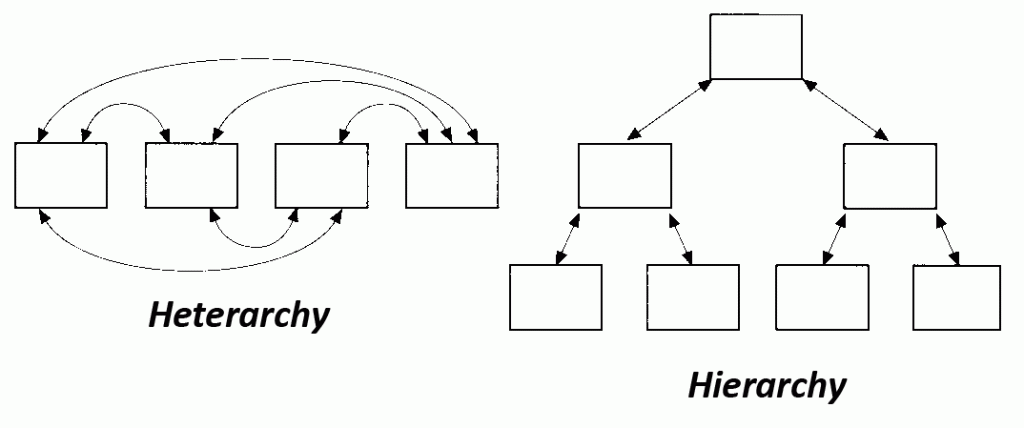
OOUX accomplishes this by facilitating the creation of circular and context-sensitive navigation systems by establishing connections between various elements, forming a network similar to a “spiderweb” rather than a traditional linear or tree-like structure. And OOUX emphasizes promoting heterarchies, where elements are not hierarchically ranked, allowing for endless possibilities in how they can be organized and accessed.
I recommend designers utilize OOUX because designers often shy away from complexity by oversimplifying, or worse by adding more complexity to an already exponentially difficult design problem where you need to solve for a massive amount of information & data, multiple user types & goals, multiple devices, multiple regions, and other complexities. Failure to wrangle this complexity can result in awful experiences as well as a loss of customers and revenue.
Key Benefits of Object-Oriented UX
The OOUX process can provide tons of benefits to your business, customers, and employees in a number of ways:
- Improve customer experience by helping customers and employees quickly find what they are looking for while reducing cognitive load
- Eliminate friction by aligning objects and information with users’ already-established contextual associations
- Help customers to use navigation to explore content vs a way to reset their experience when they get lost
- Establish your brand as premium with a seamless experiences, which gives customers and employees the impression that your products and services are high quality
- Guide your internal team to make better decisions about the organization of information
When to Use OOUX
I recommend using OOUX when there are too many objects to create a linear hierarchy, or when a system is incredibly complicated or constantly changing situational contexts and desires. This is when you will need a flexible heterarchy that thrives on:
- Spiderwebs over tree branches
- Circular and contextual design
- Associations between things
For example, OOUX can be used for large websites that are frequently updated with information, or for systems that include products, people, articles, or other interrelated objects. I’ve seen it work well for ecommerce websites, large content sites, social networking, and others.
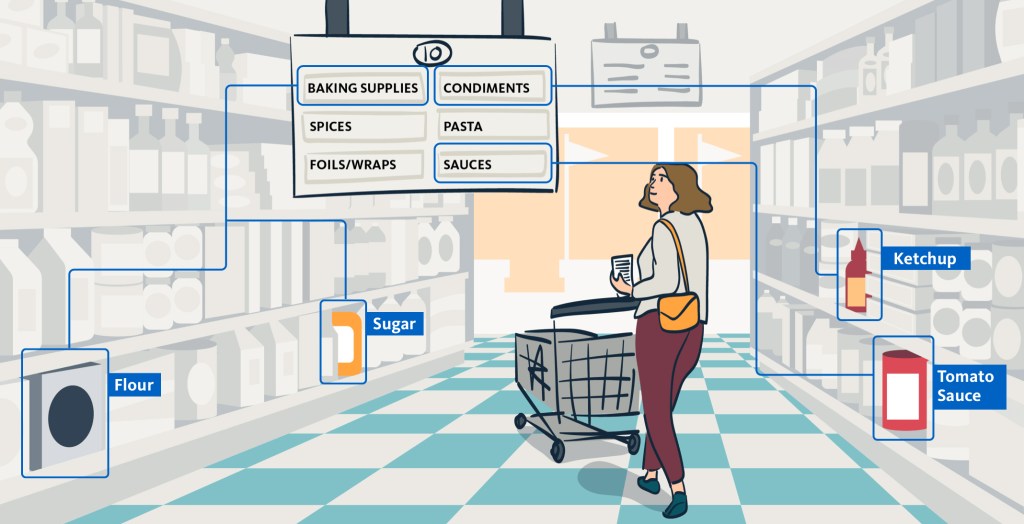
I also recommend it for the design and development of large scale platform applications – typically used by internal sales or support staff – that often have more complexity than customer-facing applications. For example, call center customer service interfaces, CRM, CMS, and others.
Regardless of whether you’re designing for customers or internal staff, the OOUX process can easily help you to both simplify existing systems and to design for new complexity.
How to Implement OOUX
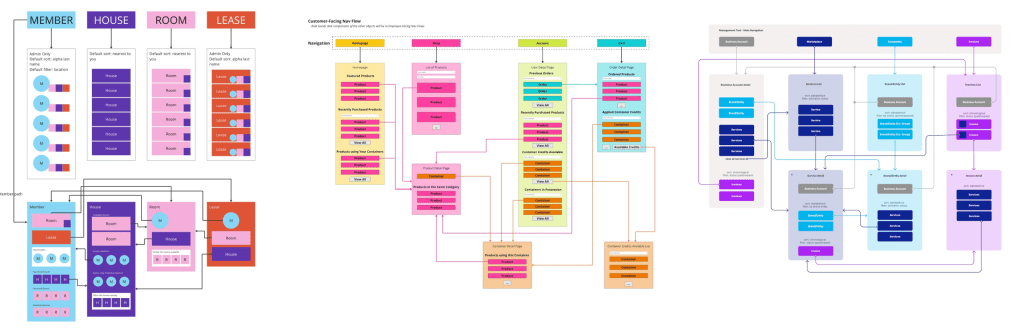
Follow these steps below to implement OOUX for an entire website or specific page by using the OOUX template model and legend below for reference:
- Identify and define the primary objects within your system
- Continue defining the content for each object
- Define the metadata that allows you to filter or order those objects
- Define the relation with other objects by cross-linking and/or nesting objects
- Add actions/verbs to each object
- Prioritize object modules, keep them centralized
- Design, build, deploy, test, iterate, add, subtract, repeat

Here’s some good examples of what your OOUX outputs will potentially look like:
Conclusion
The reason I love the OOUX approach is because it reduces cognitive load on your users, and makes your products more intuitive and easier to navigate. It also streamlines the design and development process by establishing a clear simple structure from the beginning.
I should also mention that this process will mostly help Information Architects (IA) to object map a system that has tens if not hundreds of legitimately important objects that have complex relationships with one another. However, many product design teams don’t always have an IA embedded, so it’s good knowledge for all designers to know how to design for complexity.
For those that are hungry to learn more, I highly recommend taking a OOUX course to become an expert and start utilizing it with your team to help design better products.